
Sportmaster corporate portal
2022–2024 · Senior Designer

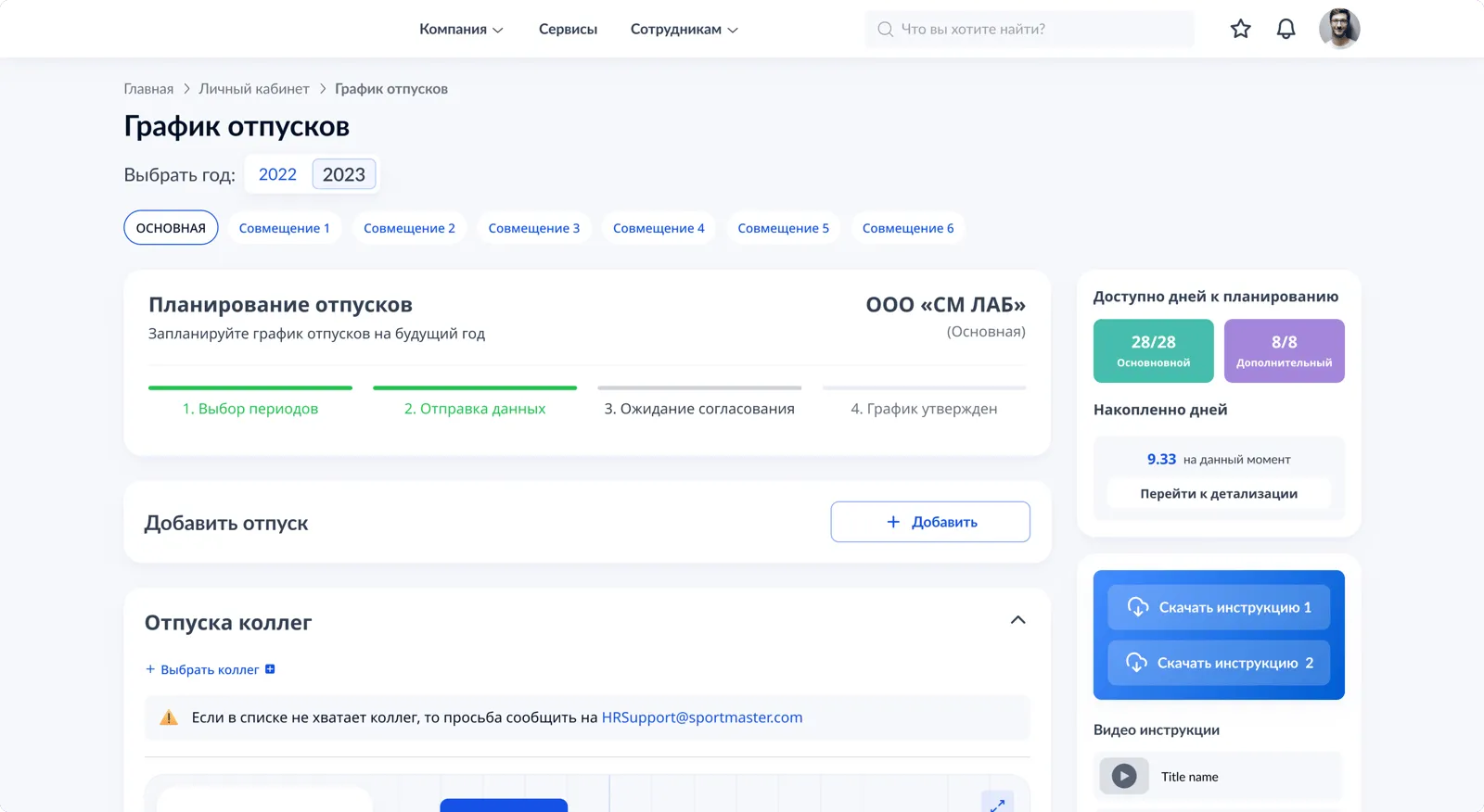
The Sportmaster corporate portal is the internal site every office employee opens on weekdays: they submit vacation requests, order certificates, watch top-management broadcasts, update their profile. From 2022 to 2024 I was responsible for its design.
What the portal contains
Where the most painful scenario was
By early 2023 the narrowest part of the portal was vacation planning. An employee submitted a request without knowing who on the team had already taken the same dates. Two days later the request came back from HR marked "the team is left without coverage" — and went into re-approval.
Two paths I chose between
At the start there were two viable scenarios — both were discussed at the project committee.
The employee types "when are my department's vacations?", and the bot in Teams returns a table. Cheap, no redesign, reuses the existing HR channel.
A widget with a timeline and overlaps inside the personal account. More expensive to build, but the decision is made right at the moment of submitting the request.
The bot answered the question but didn't help make the decision. A table in a chat isn't overlaps, it's just a table. The employee sees it and closes Teams without submitting a request. The calendar, on the other hand, shows the conflict visually, and the decision is made right there. We chose B, understanding that the price was two release windows and an integration with 1C:ZUP.
One limit that breaks the design
During research I looked at how many colleagues an employee actually compares themselves to when planning a vacation. The number turned out to be small: for a regular employee — 5–8, for a manager — up to 10. If you show more in the widget, the timeline turns into an unreadable mess.
I locked in a hard constraint: up to 10 colleagues in the widget. That removed 90% of planning tasks and left one unpleasant situation — large departments of 30+ people. I sent those to an expanded mode on a separate page. Not trying to make "one interface for every case".
The roles I designed for
Three scenarios — three readers of one widget.
 Employee — plans their own vacation without conflicts
  Manager — sees the department's load for the year
  HR partner — closes conflicts before approval
 What shipped to release
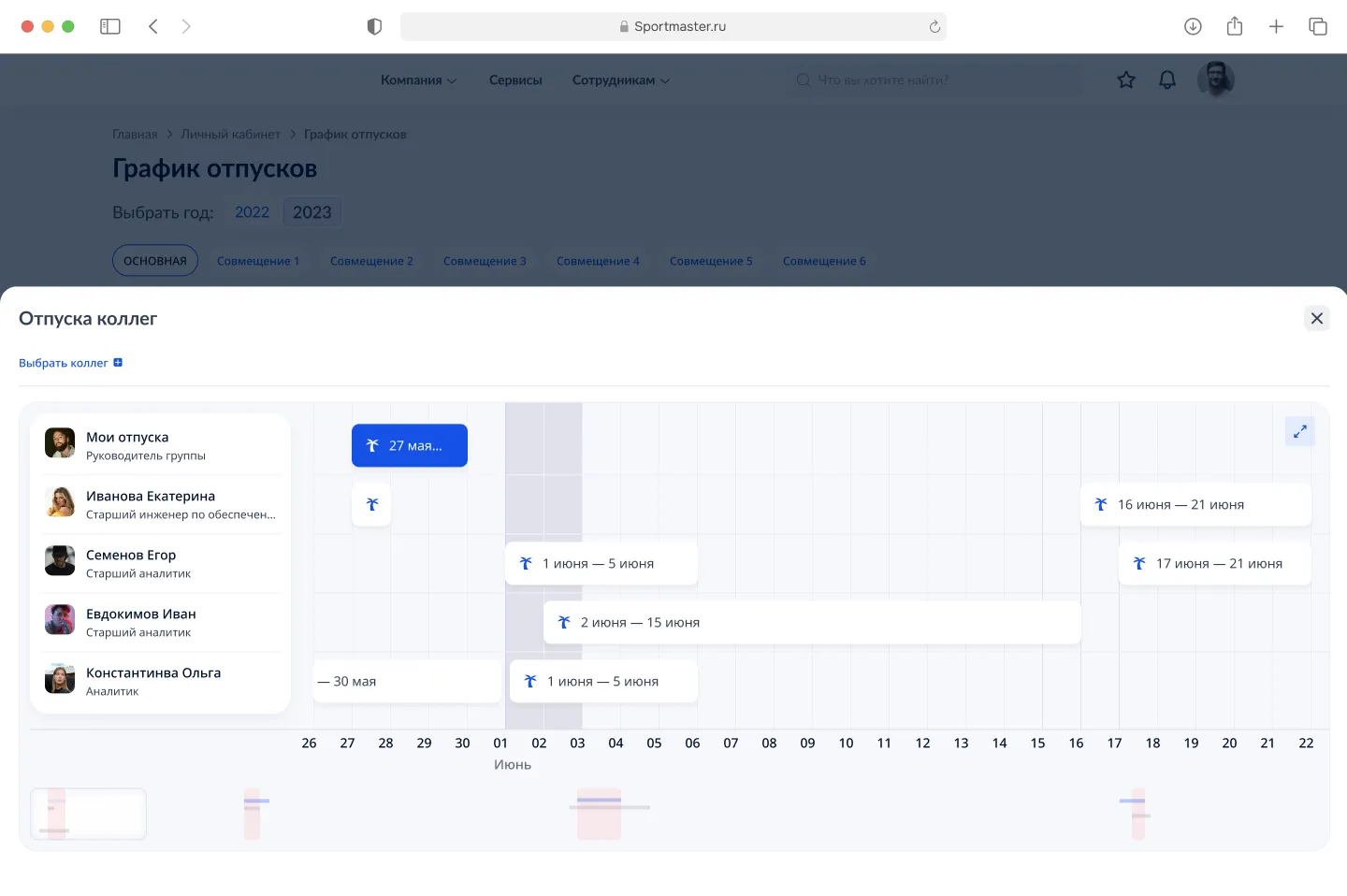
The "Colleagues' vacations" widget inside the personal account and a separate page with an expanded calendar a year ahead. From the first mockup to production — two release windows.
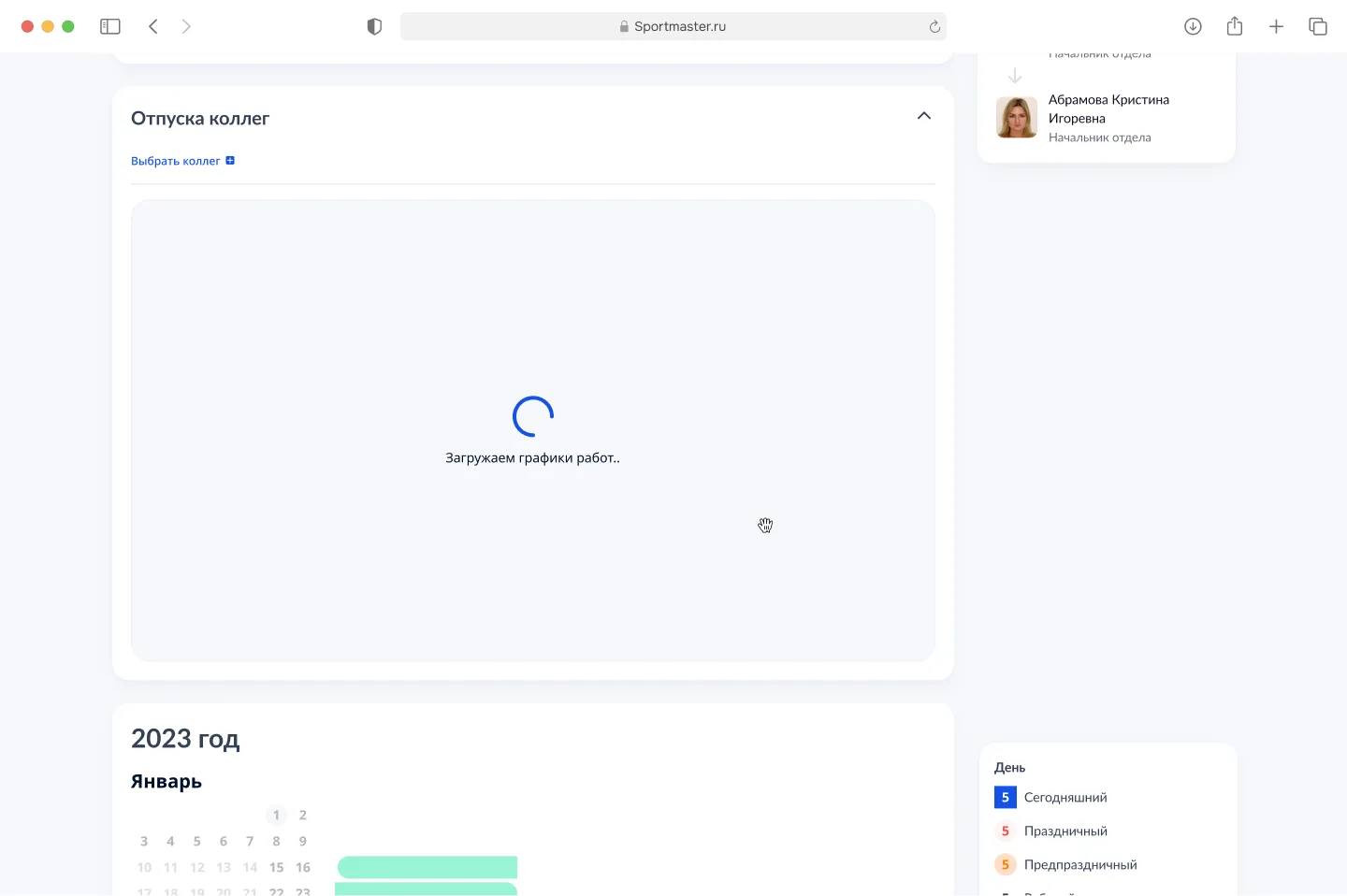
The data is pulled from 1C:ZUP. It loads unevenly: 200 ms in the office and up to 3 s in a store over VPN. The widget shows a skeleton and the caption "Loading work schedules", so the employee doesn't think the module is broken.
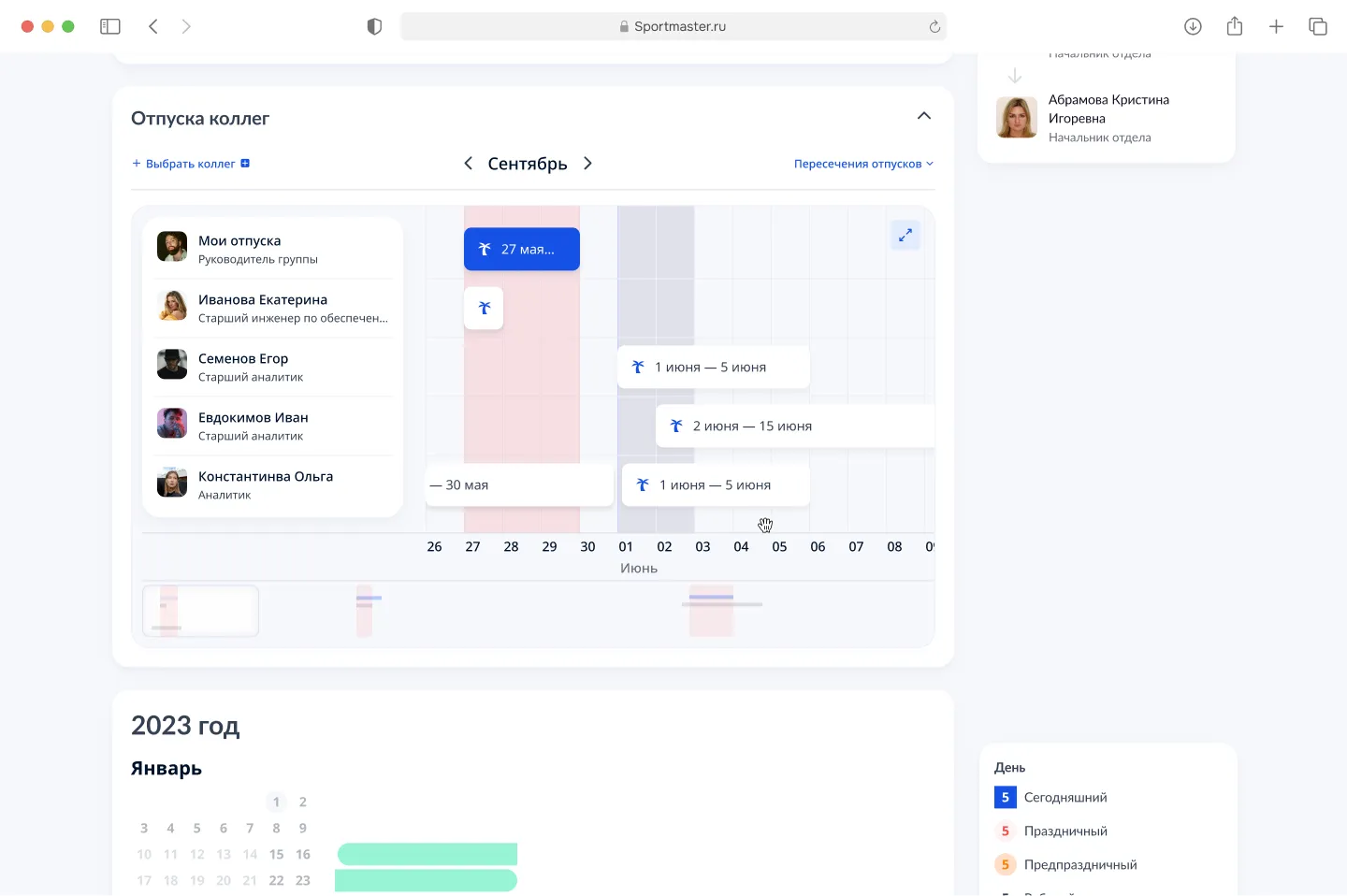
On the timeline — your dates in blue, colleagues' vacations in neutral. Overlaps are marked with a pink bar on the days when the department loses coverage. At the bottom — a mini-map of the year: you can see where conflicts are still ahead.
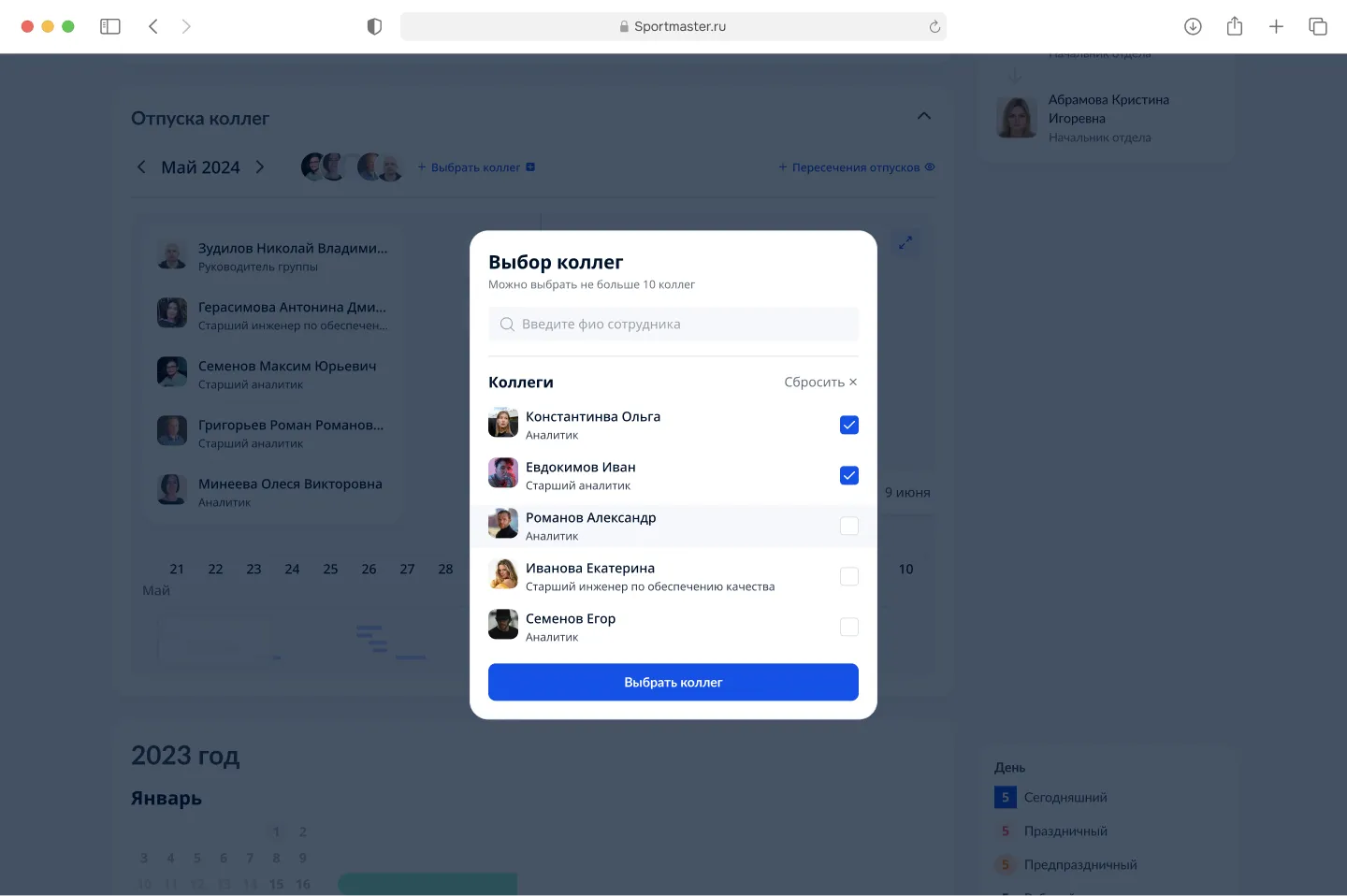
By default the widget pulls in direct department colleagues from 1C. If the team composition differs from the org chart, the employee adds up to 10 people manually: search by name, checkboxes, a "Pick colleagues" button.
On a separate page — a year ahead, switching by combined positions (primary / combination 1–6), a "Vacation overlaps" filter. This is where the scenarios that don't fit in the widget go: managers of large departments and HR partners answering business requests without exports from 1C.
What didn't work the first time
The first iteration of the overlap highlighting was aggressive — a red fill on conflicting days. At the demo the HR director said: "it looks like the person got sick". A couple of days later the portal analytics showed the same: employees saw red and closed the widget instead of changing dates. The signal fired, but in the opposite direction.
I lowered the intensity to pink and left only a thin red bar under the dates. A hint appears on hover, without a loud "you have a conflict". The conflict became information, not a verdict.
Bottom line
Before, a vacation overlap was a problem for HR and the manager: the employee submitted a request "blind" and learned about the conflict two days later. Now the conflict is visible at the planning stage. The request goes through the first time.
Internal tools rarely become something people look at. They usually just get "good enough". The vacation calendar reminded me that a decision tool and a reporting tool are not the same thing. One helps you choose, the other just shows.
Some details and metrics are not disclosed due to an NDA. The numbers on re-approvals and submission time are based on the project's internal analytics.