
Contractor cabinet for FSK
2023 · Product Designer

In 2023 I owned the design of the FSK "Contractor Cabinet" — an internal platform for the contracting organizations that carry out work on the developer’s sites. Before it, the contractor lived between email, Diadoc and the FSK call center. The cabinet was meant to bring all of this into one place.
What’s in the cabinet
Next — a case about the "Contracts and acts" section. This was the most painful scenario in the cabinet: approving a KS-2 act used to take two weeks and generated more than a third of all call-center requests. The screen below is from this section.
What it was like
The contractor filled in the KS-2 act (work-completion certificate) in Excel, sent a PDF by email to the curator on site, who forwarded it to FSK accounting, and accounting returned it with notes: "withholdings don’t add up", "payment orders not attached", "period stated incorrectly". Each cycle — 2–3 days. Until it was signed, the act lived in email for two weeks.
The metric we started with
Hypothesis
If we move KS-2 and KS-3 into the cabinet with step-by-step filling, on-the-fly data validation and a visible document status — the approval cycle will shrink to a few days, and the call center will stop being an accounting help desk.
Principles
Four rules that drove the decisions in the acts section.
What I verified
Before any mockups — 12 interviews with contractors and FSK accounting staff, plus an analysis of call-center requests over six months.
The solution
A completion card with three tabs: Information, KS-2, KS-3. On the left — the contract details and the composition of the act; on the right — the completion data and document tracking. The "Draft" status is visible immediately, and the "CMR / Act groups" badge sits next to the number.
In the header — the completion number and date, with the last change next to it, so the curator can see how fresh the draft is. On the left — the KS-2 and KS-3 data split into "Claimed / Accepted"; on the right — the reporting period and document tracking: everything that has happened to the act since it was created.
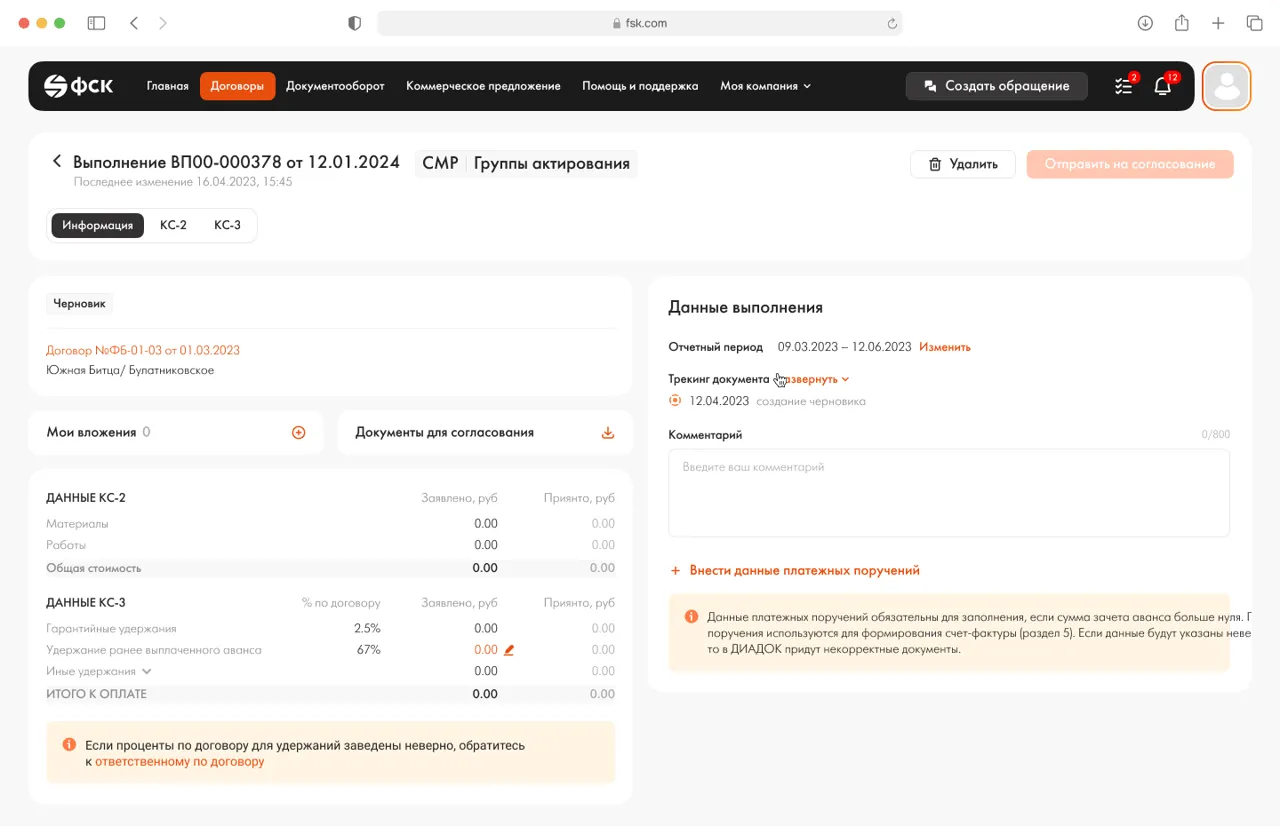
Warranty withholdings, withholding of the previously paid advance, and other withholdings — three separate lines, not one total. Percentages are highlighted: in orange if they were entered manually and diverge from the contract. Right there — a link to the "person responsible for the contract", so the contractor can clarify without leaving the act.
If the advance offset amount is greater than zero — adding payment orders becomes required. Previously the user found this out from an error on submission. Now — from a yellow informer inside the card, with a clear explanation of the "why": otherwise the advance offset won’t match the act, and accounting will return the document for rework.
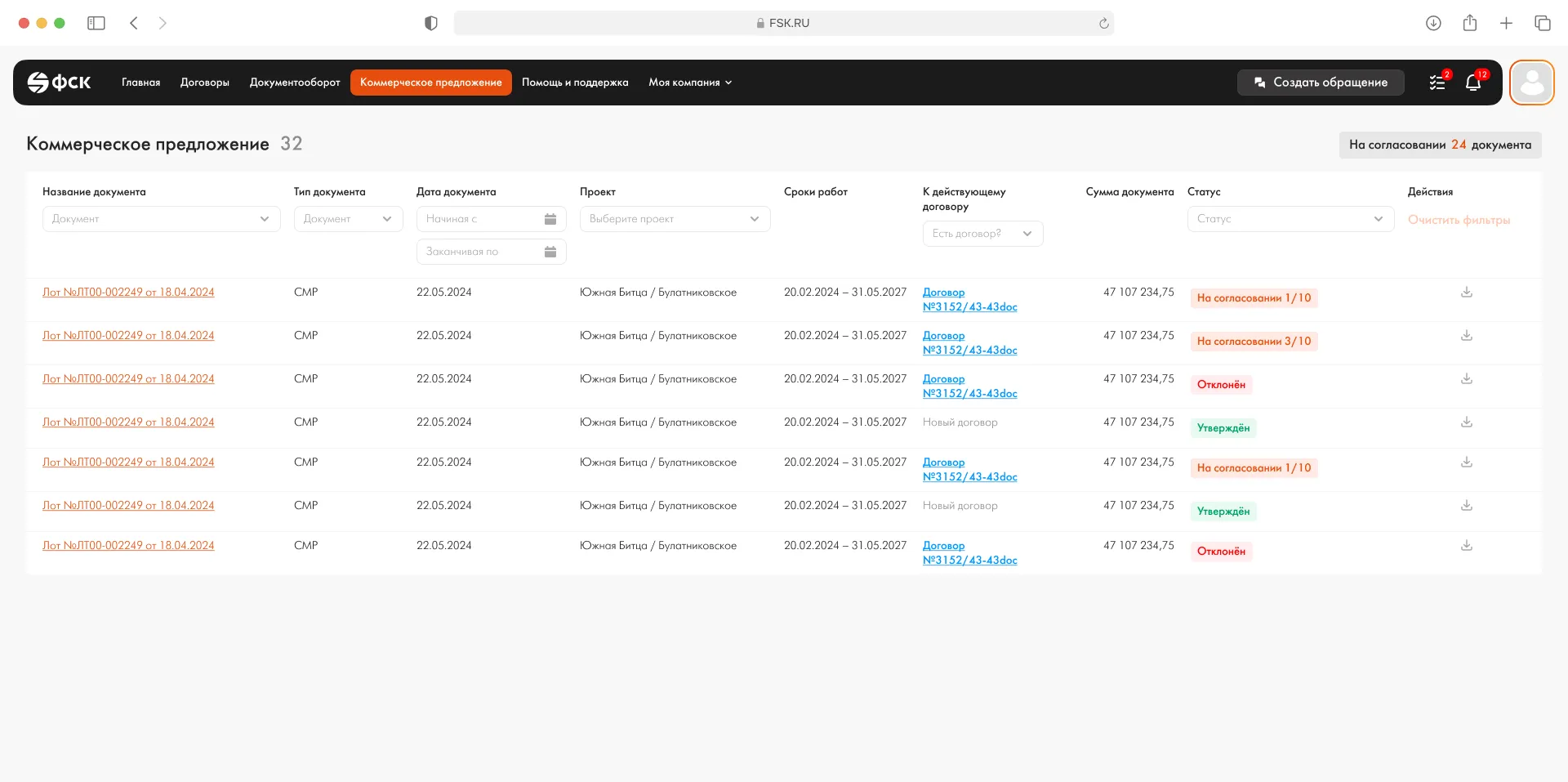
In the registry — a table of lots and commercial proposals with statuses: "In approval 1/10", "Approved", "Rejected". The approval progress is visible in the row, without opening the card. Filters — by status, project, contract, work dates. The contractor stops writing "where is our document now?" — they can see it from the list.
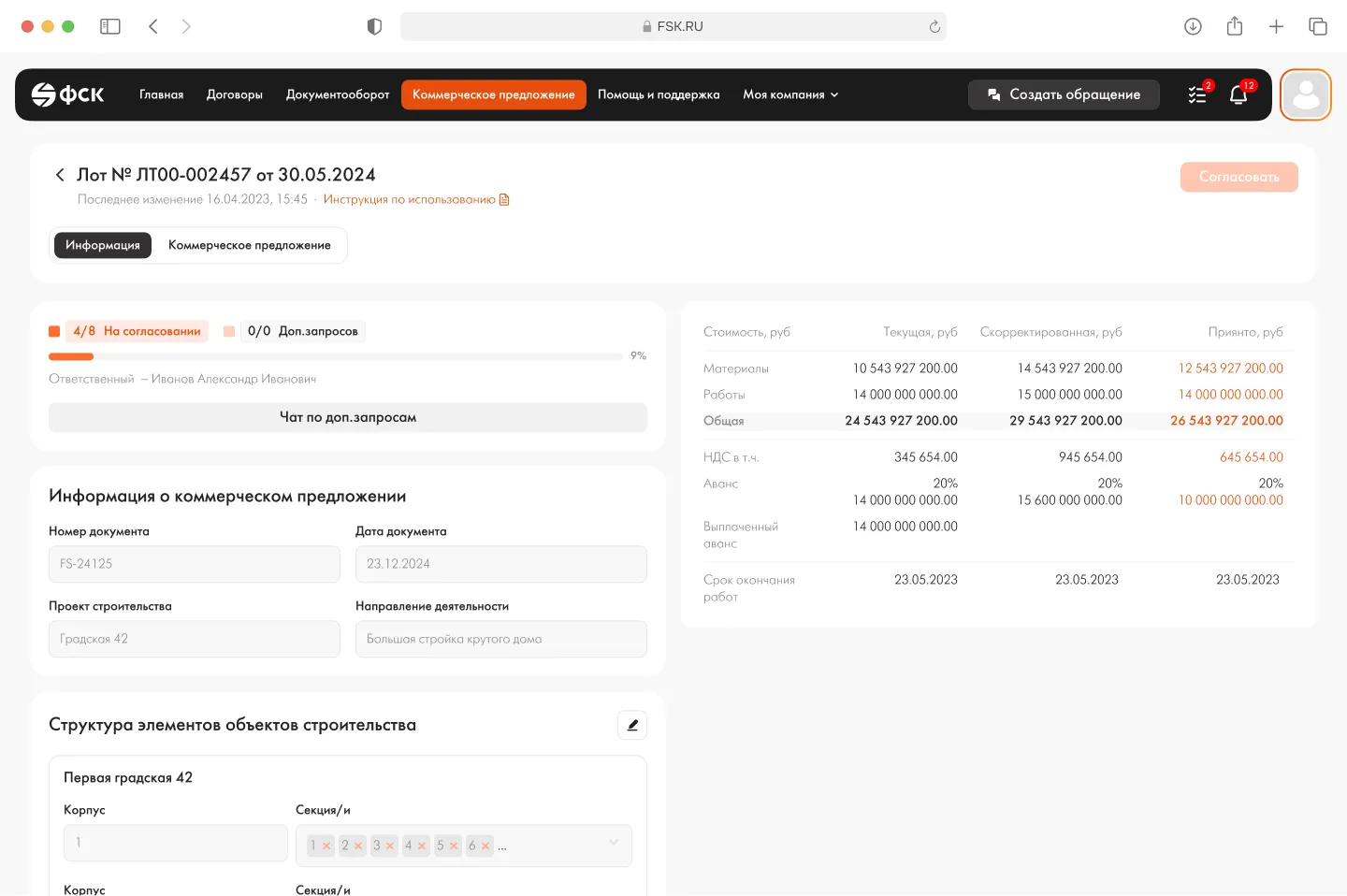
A parallel cabinet module — working with FSK lots. A lot has its own set of numbers: materials, works, advance, VAT, adjusted values, accepted amounts. Three columns, "Current / Adjusted / Accepted" — the contractor sees how the estimate changed across iterations, without shuffling tables by hand. The structure of the construction object’s elements sits at the bottom of the same page, so the context isn’t broken.
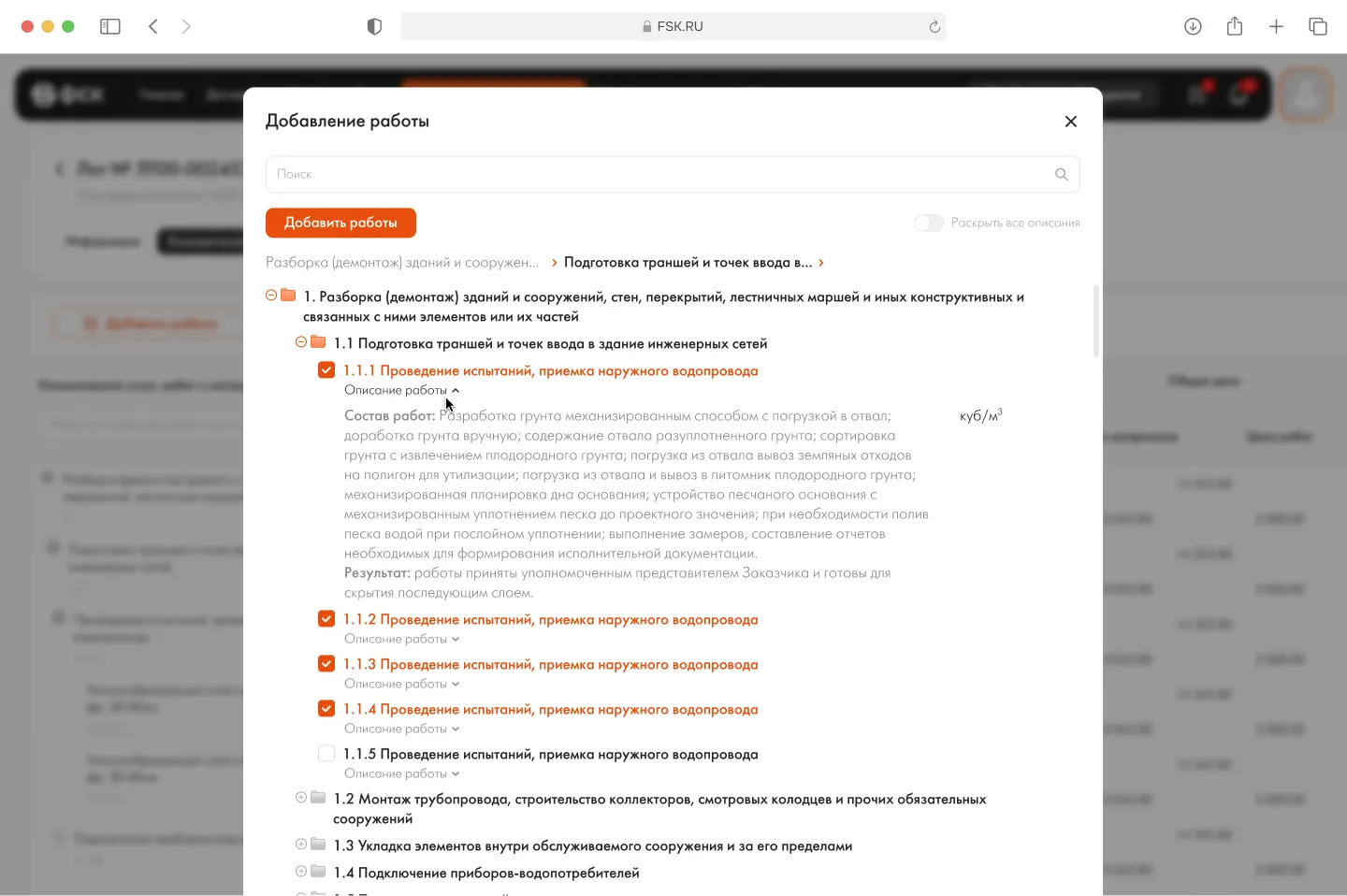
When the contractor assembles the object’s work schedule, they pick works not from an arbitrary list, but from FSK’s tree of reference data (master data). Checkboxes, text search, filters by group — all inside a single modal. Already-added items are highlighted to avoid duplication. This removes the main cause of returns: "the composition of works doesn’t match the reference book".
Why it worked
Approving an act used to be a back-and-forth between the contractor, the curator and accounting — with the call center carrying a background responsibility. Now the act card is a single document that all parties work from. This isn’t "digitizing a process", it’s moving responsibility to where the decisions are made.
Some details and metrics are not disclosed due to NDA. The figures on approval time and call-center load are based on the project’s internal analytics.